UX/UI · Digital product
For a real business: a seller of avocados, eggs and goat cheese, wholesale and retail, who keeps everything in a notebook. I designed a working prototype, built with AI, so he can sell, collect and know what he earns from his phone. The client accepted it, and we are now bringing it into his business.
- ROLE
- Information architecture, interface design and development with AI
- YEAR
- 2026
- TOOLKIT
- UI design · Information architecture · Next.js · Installable web app
12
working screens
1 tap
to collect on WhatsApp
< 10 s
target to log an order
01 — THE CHALLENGE
He sells while delivering. With the notebook, orders get lost, credit is forgotten and he doesn't know what he earns each month.
02 — WALKTHROUGH
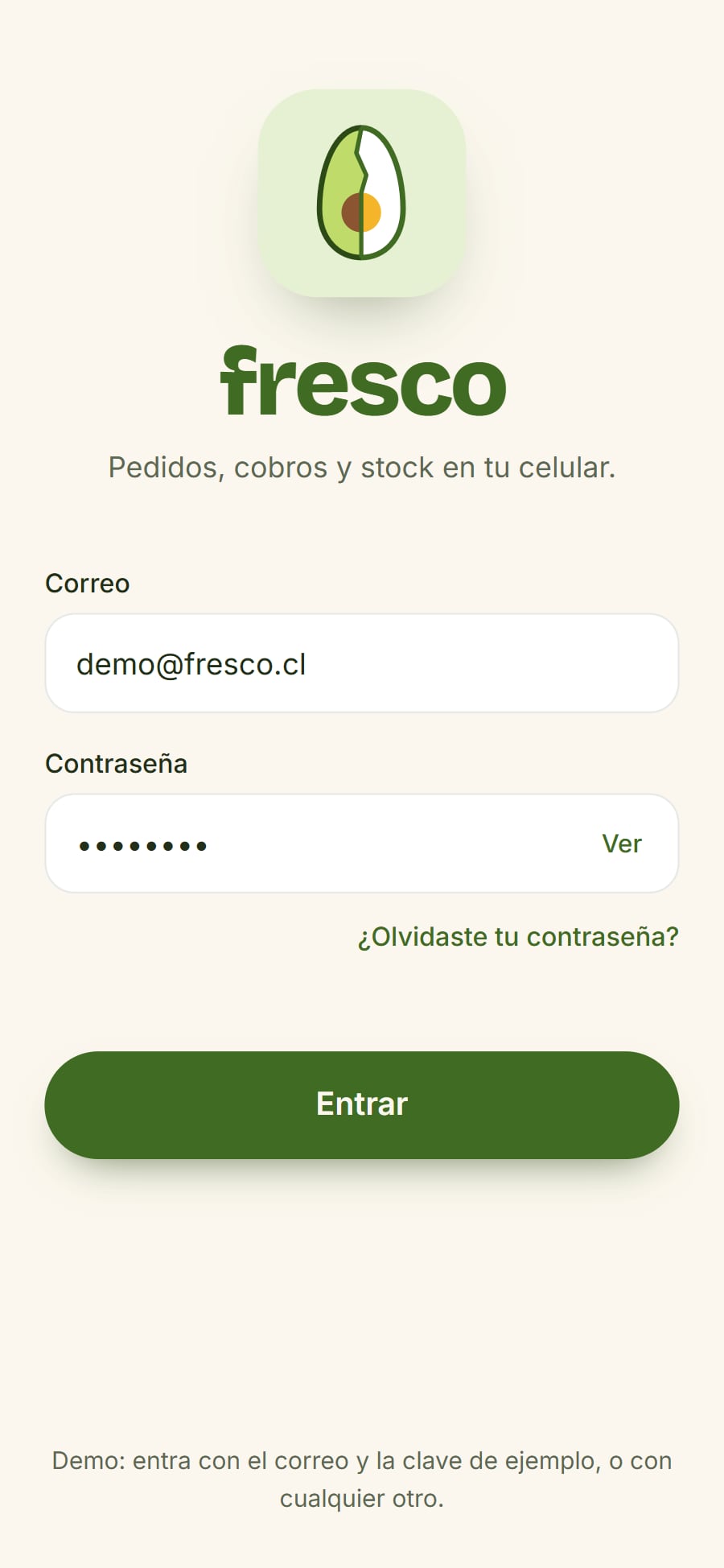
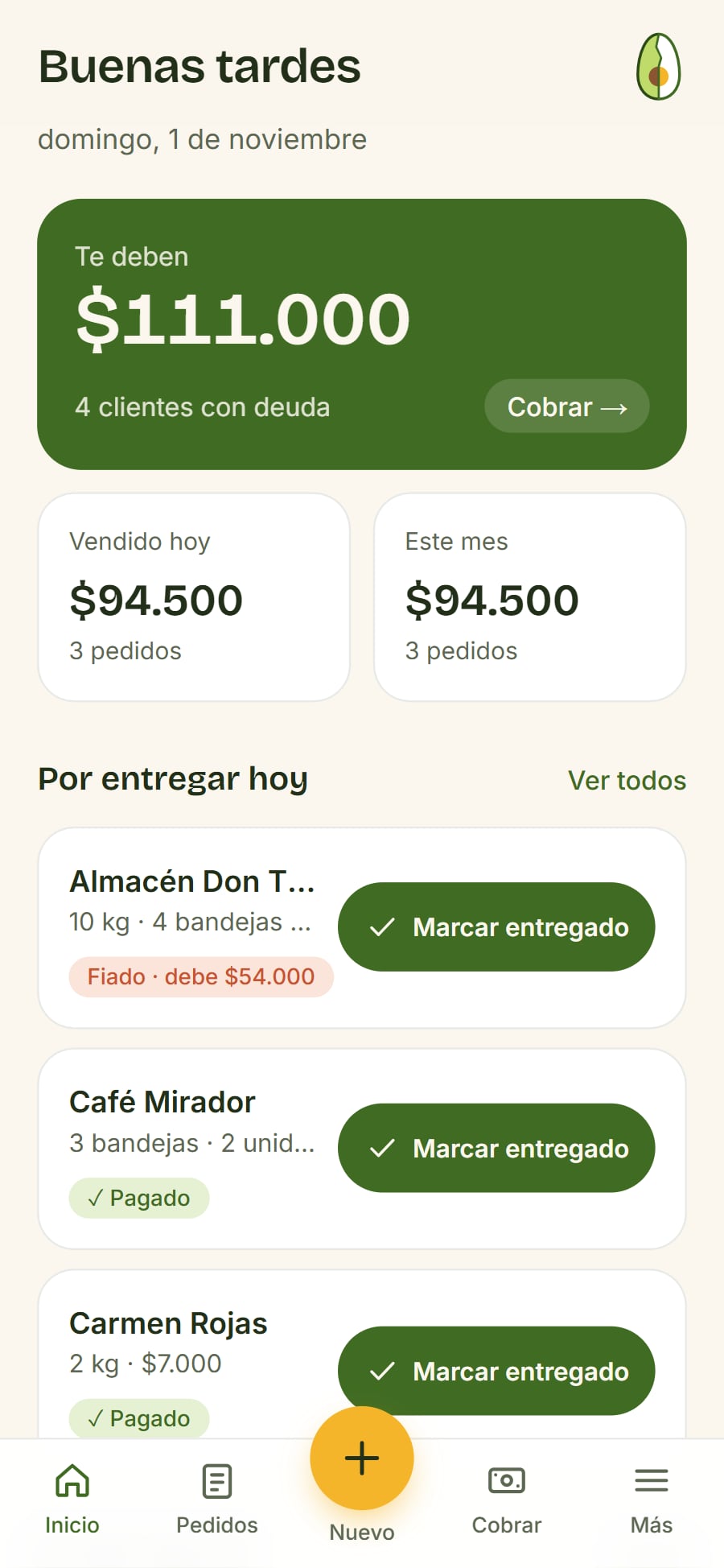
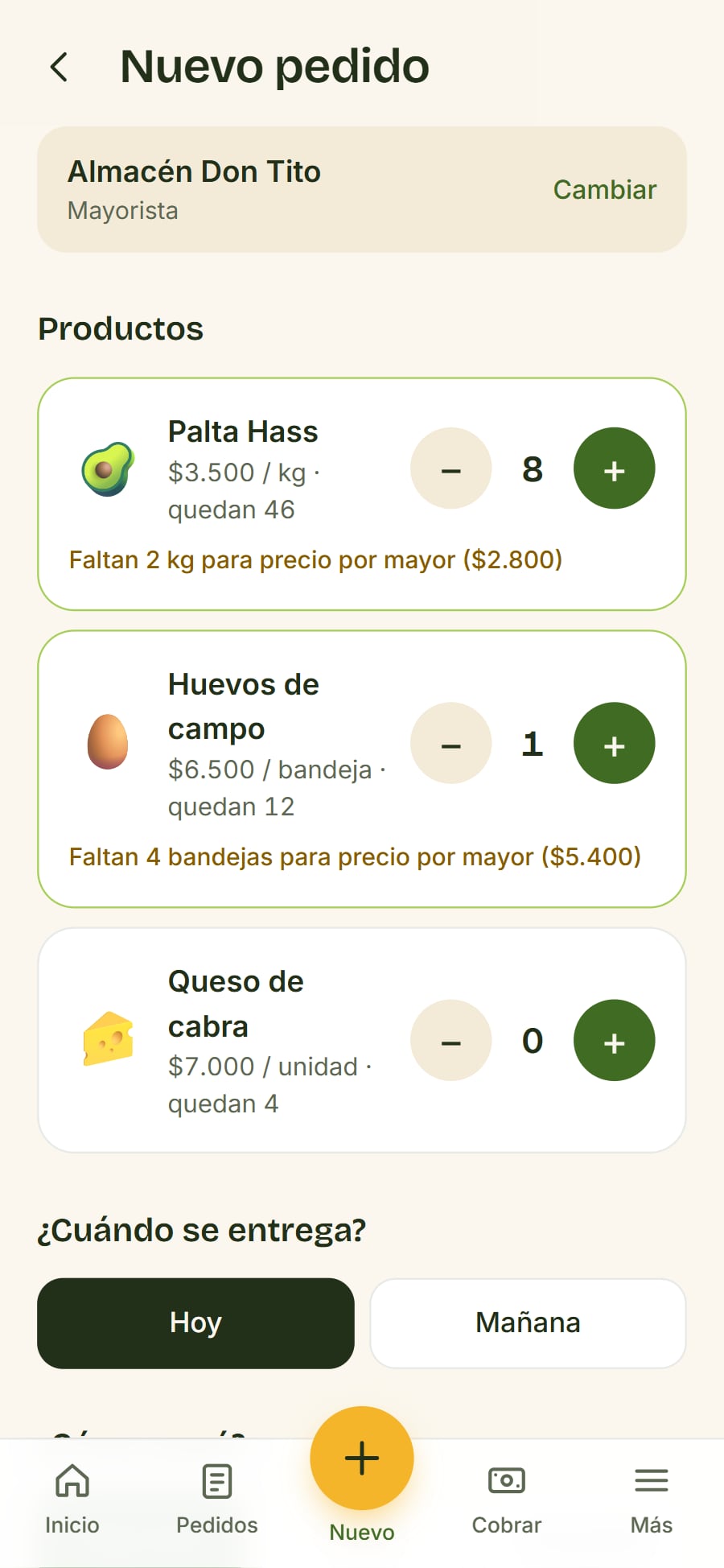
He signs in, logs a wholesale order with partial payment, records a payment and checks how the month is going in finances.
Clients and figures are examples.
03 — SELLING AND COLLECTING
Orders, payments and stock: what was scattered in the notebook, now in one app.
04 — FINANCES
Invoices, results and projections in plain words. The SII (tax office) sync is simulated in this prototype.
05 — DESIGN + AI
Fresco isn’t a Figma prototype: it’s a working app that installs on the phone. I designed it and defined how it should behave; I built the code with AI (Claude Code), reviewing and testing every screen until it worked the way I designed it.
The business rules live in the code: wholesale pricing, who owes and since when, the sales projection and the accountant’s books. These are real excerpts.
- Next.js 16
- React 19
- TypeScript
- Tailwind CSS 4
- Installable app (PWA)
- 2,309 lines of code
src/lib/tipos.ts
export const totalPedido = (p: Pedido) => p.lineas.reduce((s, l) => s + l.cantidad * l.precio, 0);
export const deudaPedido = (p: Pedido) => Math.max(0, totalPedido(p) - p.pagado);

/** "1 bandeja", "3 bandejas", "2 unidades"; el kilo no cambia */
export const cantidad = (n: number, unidad: string) =>
  `${n} ${n === 1 || unidad === "kg" ? unidad : unidad === "unidad" ? "unidades" : unidad + "s"}`;

/** El precio que corresponde: por mayor solo si es mayorista y llega al mínimo. */
export const precioPara = (p: Producto, tipo: TipoCliente | undefined, cant: number) =>
tipo === "mayorista" && cant >= p.minMayor ? p.precioMayor : p.precioDetalle;06 — DESIGN DECISIONS
Each decision, marked on the real screen. Tap a note to see where it is.

1What’s urgent, on topThe first thing he sees is what he’s owed, with a button to collect. It’s what he forgot most with the notebook.
1 / 3